Royal Caribbean
| Technical Specification |
Download |
| Latest Updated |
May 28, 2024 |
|
| Latest Version |
1.54.0 |
| Developer |
|
| Operating system |
Android, iOS |
| Language |
English |
| Price |
Free |
| Available version |
1.54.0 |
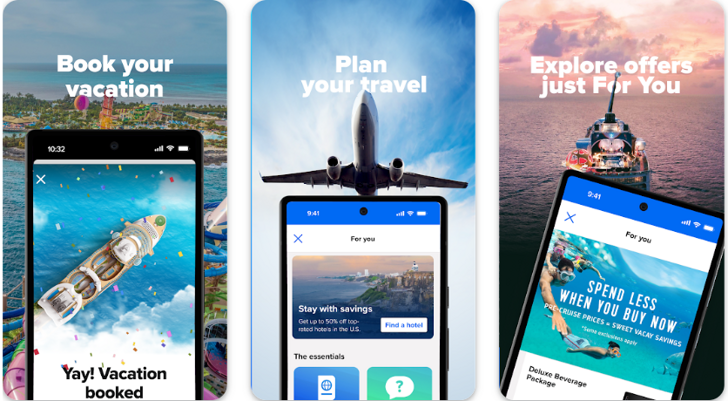
Royal Caribbean is a comprehensive travel application designed to enhance your cruising experience. With real-time itinerary management, users can easily track their schedules, explore onboard activities, and make reservations for dining and excursions. The app offers personalized recommendations based on user preferences, ensuring a tailored experience. Additionally, integrated communication features allow seamless connection with fellow travelers and crew members. By simplifying the planning process and providing valuable insights, Royal Caribbean enables users to maximize enjoyment and create lasting memories on their voyages.
More Details
Below are some of the notable features of the Royal Caribbean app:
- Cruise Planner Integration: The app seamlessly integrates with the Cruise Planner service, allowing users to book excursions, dining reservations, and spa appointments well in advance of their sailing date. This feature ensures that passengers can curate their itinerary to maximize enjoyment and convenience, eliminating the stress of on-board booking rushes.
- Real-time Ship Tracking: Leveraging advanced GPS technology, the app offers passengers the ability to track their ship in real-time. Users can view the ship's current location, estimated arrival times at ports, and any changes to the itinerary. This feature not only enhances peace of mind but also improves planning for onshore excursions.
- Onboard Communication Hub: The app features an internal messaging system that enables passengers to communicate with one another without incurring roaming charges. This functionality is particularly pertinent for families and groups traveling together, allowing them to coordinate activities and share updates easily while navigating the expansive cruise environment.
- Augmented Reality Deck Maps: Utilizing augmented reality (AR), the app provides interactive deck maps that help users orient themselves with the cruise ship's layout. By simply pointing their device at various parts of the ship, passengers can access information about amenities, dining options, and entertainment schedules, enriching their onboard experience.
Extra Details
How to uninstall the Royal Caribbean? You can uninstall Royal Caribbean on your mobile device by following these steps: Locate setting icon on your phone. Tap Application manager or Apps Touch Royal Caribbean. Press uninstall.
How to install the application
How to download and install Royal Caribbean on your mobile device? The steps below explain how you can download the app on Google Play:
- Launch Google Play on your Android device
- Input Royal Caribbean in the search bar
- Touch the most relevant search result
- Tap Install to download the app
- Wait for the process to complete.
DISCLAIMER
- The above app is a mobile app that will not change any system settings on your phone
- All apk files downloaded from our site are secure
- We provide the official download link from Google Play Store
- The trademarks and logos of all the merchants displayed on the website are the property of their respective owners. The website is not affiliated or associated with any of them
- Our website and its content strictly comply with all the terms and conditions of Google Ads Advertising policies and Google Unwanted Software policy
Steps to Uninstall android App
How to uninstall the Royal Caribbean? You can uninstall Royal Caribbean on your mobile device by following these steps:
- Locate setting icon on your phone.
- Tap Application manager or Apps Touch Royal Caribbean.
- Press uninstall.
Tips & Tricks
More about the Royal Caribbean app
- Maximize your onboard experience by utilizing the Royal Caribbean app’s itinerary feature. Customize your daily schedule and explore activities that interest you, ensuring you don't miss out on entertainment, dining reservations, and shows.
- Take advantage of the real-time messaging service for seamless communication with family and friends while onboard. Stay connected without incurring roaming charges, helping you coordinate plans and enjoy your cruise more fully.
- Enhance your dining experience by using the app to make restaurant reservations. Discover diverse culinary options and secure your table in advance, allowing you to savor meals with minimal wait times during your cruise.
- Use the app’s interactive deck plans to navigate the ship effortlessly. Familiarize yourself with key locations such as pools, entertainment venues, and dining options to ensure you make the most of your time onboard.
- Keep track of your onboard expenses using the app’s billing feature. Monitor your spending in real-time, enabling you to manage your budget effectively and avoid unexpected charges at the end of your cruise.