Youtube Music
| Technical Specification |
Download |
| Latest Updated |
May 28, 2024 |
|
| Latest Version |
7.02.51 |
| Developer |
|
| Operating system |
Android, iOS |
| Language |
English |
| Price |
Free |
| Available version |
7.02.51 |
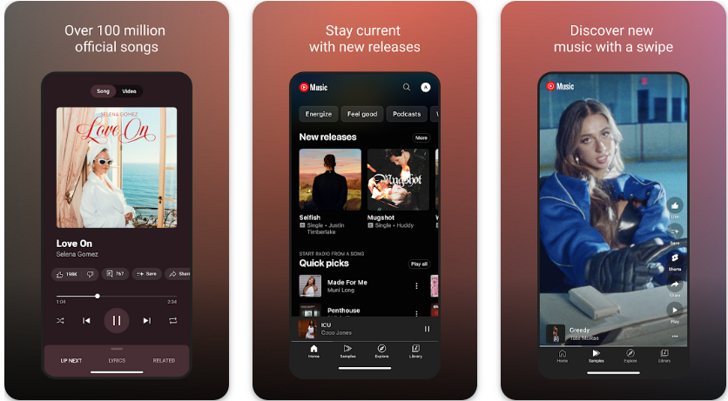
YouTube Music is a dynamic streaming platform tailored for music enthusiasts. This innovative application offers an extensive library of songs, playlists, and music videos, allowing users to discover and enjoy their favorite tracks effortlessly. With personalized recommendations based on listening habits, users can explore new genres and artists. The intuitive interface enhances the user experience, while offline playback ensures uninterrupted enjoyment. By seamlessly integrating with the broader YouTube ecosystem, YouTube Music enables users to delve into a rich auditory experience, elevating their musical journey.
More Details
Below are some of the notable features of the YouTube Music app:
- Personalized Playlists: YouTube Music employs sophisticated machine learning algorithms to curate personalized playlists that adapt to user preferences and listening habits. The app analyzes various data points, such as previous listens, liked songs, and even skipped tracks, to create dynamic playlists that evolve over time, ensuring a uniquely tailored listening experience.
- Music Videos Integration: Unlike typical audio streaming platforms, YouTube Music seamlessly integrates music videos alongside standard audio tracks. This feature allows users to switch between audio and video versions of their favorite songs without interruption, offering a more immersive experience. The user interface facilitates easy navigation, enabling quick access to visual content related to the music.
- Offline Listening Capability: YouTube Music provides a download feature that allows users to save their favorite tracks, albums, or playlists directly to their devices. This functionality ensures uninterrupted music enjoyment, even in environments with limited or no internet connectivity, making it particularly useful for users on-the-go or in areas with unreliable network access.
- Comprehensive Music Discovery: The app features an advanced music discovery engine that employs both user input and community trends to introduce listeners to new artists and genres. Through curated recommendations, genre-specific radio stations, and contextual playlists based on user activity, YouTube Music empowers users to explore and expand their musical horizons effectively.
Extra Details
How to uninstall the Youtube Music? You can uninstall Youtube Music on your mobile device by following these steps: Locate setting icon on your phone. Tap Application manager or Apps Touch Youtube Music. Press uninstall.
How to install the application
How to download and install Youtube Music on your mobile device? The steps below explain how you can download the app on Google Play:
- Launch Google Play on your Android device
- Input Youtube Music in the search bar
- Touch the most relevant search result
- Tap Install to download the app
- Wait for the process to complete.
DISCLAIMER
- The above app is a mobile app that will not change any system settings on your phone
- All apk files downloaded from our site are secure
- We provide the official download link from Google Play Store
- The trademarks and logos of all the merchants displayed on the website are the property of their respective owners. The website is not affiliated or associated with any of them
- Our website and its content strictly comply with all the terms and conditions of Google Ads Advertising policies and Google Unwanted Software policy
Steps to Uninstall android App
How to uninstall the Youtube Music? You can uninstall Youtube Music on your mobile device by following these steps:
- Locate setting icon on your phone.
- Tap Application manager or Apps Touch Youtube Music.
- Press uninstall.
Tips & Tricks
More about the Youtube Music app
- Utilize the "Discover" feature to explore curated playlists tailored to your listening habits. This personalized discovery can introduce you to new artists and genres, enhancing your musical experience and expanding your library with fresh content.
- Leverage the "Download" option to listen offline, ensuring uninterrupted access to your favorite tracks even in low or no connectivity zones. This is particularly beneficial during travel or commutes, allowing you to enjoy music without data usage.
- Take advantage of the "Library" section to organize your favorite songs, albums, and playlists efficiently. By creating customized folders, you can streamline your listening experience, making it easy to find and enjoy your preferred content quickly.
- Explore the "Create Playlist" feature to curate unique collections of songs for different moods or occasions. This allows you to personalize your listening experience further and share your unique preferences with friends or family.
- Use the "Radio" function to create a continuous stream of music based on your favorite tracks or artists. This can provide a seamless flow of similar music, perfect for setting the right ambiance during gatherings or personal relaxation time.