Tricount
| Technical Specification |
Download |
| Latest Updated |
May 28, 2024 |
|
| Latest Version |
7.2.1 |
| Developer |
|
| Operating system |
Android, iOS |
| Language |
English |
| Price |
Free |
| Available version |
7.2.1 |
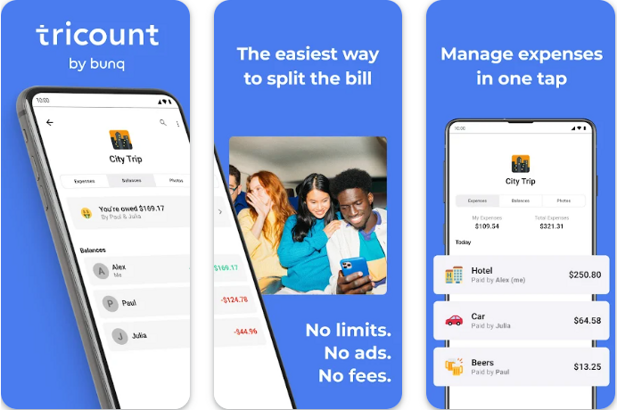
Tricount is an innovative expense management application designed to simplify the process of tracking shared costs among friends, family, or colleagues. With its intuitive interface, users can easily input and categorize expenses, ensuring clarity and transparency in financial contributions. The app automatically calculates each person's share, highlights who owes what, and provides insightful summaries of group spending. By fostering clear communication and reducing misunderstandings regarding financial obligations, Tricount enhances group dynamics and promotes accountability, making it an essential tool for any collaborative endeavor.
More Details
Below are some of the notable features of the Tricount app:
- Simplified Expense Management: Tricount provides intuitive tracking and management of shared expenses, allowing users to input expenses in real-time. Each participant's contributions can be easily logged and categorized, ensuring accurate calculations and transparent overviews. The app seamlessly accommodates multiple currencies, making it an optimal choice for international group activities.
- Automated Settlement Calculation: The app employs an advanced algorithm to automatically compute the amounts owed between participants, minimizing potential disputes and enhancing user convenience. This feature not only simplifies complex financial interactions but also structures payments in a clear, straightforward manner, thus fostering a sense of fairness and accountability among users.
- Interactive Group Insights: Tricount offers dynamic visualizations of expenses through engaging graphs and charts, enabling users to quickly assess spending habits and individual contributions. This analytical framework empowers users to make informed decisions about future expenditures and enhance budgeting capabilities within groups.
- Real-Time Synchronization and Notifications: Users benefit from live updates on expense changes, ensuring that all participants are informed instantly when new entries are added or modified. The integrated notification system further promotes engagement, encouraging quick resolutions and facilitating smooth communication among group members regarding shared financial matters.
Extra Details
How to uninstall the Tricount? You can uninstall Tricount on your mobile device by following these steps: Locate setting icon on your phone. Tap Application manager or Apps Touch Tricount. Press uninstall.
How to install the application
How to download and install Tricount on your mobile device? The steps below explain how you can download the app on Google Play:
- Launch Google Play on your Android device
- Input Tricount in the search bar
- Touch the most relevant search result
- Tap Install to download the app
- Wait for the process to complete.
DISCLAIMER
- The above app is a mobile app that will not change any system settings on your phone
- All apk files downloaded from our site are secure
- We provide the official download link from Google Play Store
- The trademarks and logos of all the merchants displayed on the website are the property of their respective owners. The website is not affiliated or associated with any of them
- Our website and its content strictly comply with all the terms and conditions of Google Ads Advertising policies and Google Unwanted Software policy
Steps to Uninstall android App
How to uninstall the Tricount? You can uninstall Tricount on your mobile device by following these steps:
- Locate setting icon on your phone.
- Tap Application manager or Apps Touch Tricount.
- Press uninstall.
Tips & Tricks
More about the Tricount app
- Utilize the Group Split Feature: Easily manage shared expenses among friends or family by using the group split function. Simply add members to your group and input expenses; the app will automatically calculate each person's share, helping to avoid confusion and ensuring everyone knows what they owe.
- Take Advantage of the Expense Categories: Organize your spending by categorizing expenses (e.g., dining, travel, gifts). This feature allows you to track where your money is going, making it easier to adjust your budget or identify areas where you may need to cut back.
- Use the Currency Converter: If you're traveling or dealing with international friends, enable the currency converter feature. This ensures that all expenses are accurately reflected in your preferred currency, facilitating seamless financial transactions and clearer communication about costs.
- Regularly Monitor Your Balance: Keep tabs on what you have paid versus what is owed by checking your balance regularly within the app. This feature helps maintain clear financial boundaries within your group and prevents any awkward conversations about outstanding debts.
- Leverage the Notifications: Turn on notifications to stay updated on expense changes or payments made in your groups. This functionality ensures that you are always informed and can respond to updates promptly, maximizing the app's potential for effortless financial management.