SeatGeek
| Technical Specification |
Download |
| Latest Updated |
May 28, 2024 |
|
| Latest Version |
2024.05.061396 |
| Developer |
|
| Operating system |
Android, iOS |
| Language |
English |
| Price |
Free |
| Available version |
2024.05.061396 |
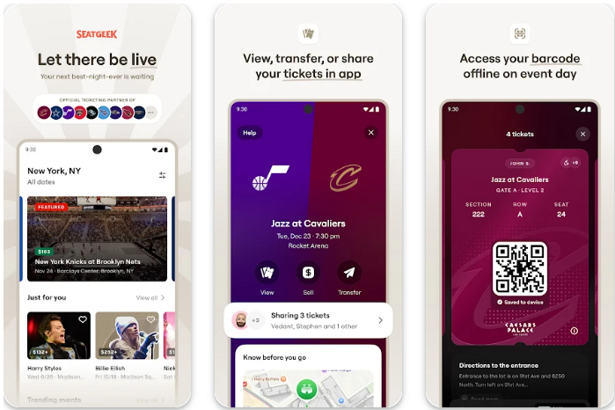
SeatGeek is a comprehensive ticketing platform designed to simplify the process of finding and purchasing tickets for live events, including concerts, sports, and theater. With its user-friendly interface, SeatGeek aggregates ticket listings from various vendors, offering users the best prices and seat options. The app features a powerful search engine and customizable filters that allow users to refine their preferences easily. Additionally, SeatGeek provides interactive venue maps and personalized recommendations, ensuring an enhanced experience for event-goers while saving time and money.
More Details
Below are some of the notable features of the SeatGeek app:
- Intuitive Ticket Aggregation: SeatGeek's state-of-the-art aggregator technology compiles ticket listings from multiple primary and secondary marketplaces. This feature ensures users have access to a comprehensive view of available seating options for concerts, sports events, and theater performances. By comparing prices across platforms, users can easily identify the most cost-effective options, maximizing value while minimizing purchase friction.
- Interactive Seating Charts: The app includes real-time interactive seating charts that allow users to visualize their selected venue. By dynamically displaying available seats in an immersive, user-friendly format, patrons can make informed decisions based on proximity to the stage or field, visibility, and price. This feature also enhances user engagement by enabling zoom and rotation functionalities for a detailed inspection of the seating as well as viewing angles.
- Personalized Recommendations: Leveraging advanced machine learning algorithms, SeatGeek offers personalized event recommendations based on users’ past purchases and browsing behavior. This tailored experience not only enhances user satisfaction by introducing them to events they are likely to enjoy but also drives engagement across diverse genres and formats, ultimately enriching the cultural experience of its clientele.
- Integrated Payment Solutions: The app supports seamless payment processing through a diverse array of integrated payment solutions. Users can link various digital wallets and credit card accounts for a streamlined checkout experience. Moreover, incorporating security measures such as tokenization and encryption ensures that transactions are handled with the highest levels of security, safeguarding user information against unauthorized access.
Extra Details
How to uninstall the SeatGeek? You can uninstall SeatGeek on your mobile device by following these steps: Locate setting icon on your phone. Tap Application manager or Apps Touch SeatGeek. Press uninstall.
How to install the application
How to download and install SeatGeek on your mobile device? The steps below explain how you can download the app on Google Play:
- Launch Google Play on your Android device
- Input SeatGeek in the search bar
- Touch the most relevant search result
- Tap Install to download the app
- Wait for the process to complete.
DISCLAIMER
- The above app is a mobile app that will not change any system settings on your phone
- All apk files downloaded from our site are secure
- We provide the official download link from Google Play Store
- The trademarks and logos of all the merchants displayed on the website are the property of their respective owners. The website is not affiliated or associated with any of them
- Our website and its content strictly comply with all the terms and conditions of Google Ads Advertising policies and Google Unwanted Software policy
Steps to Uninstall android App
How to uninstall the SeatGeek? You can uninstall SeatGeek on your mobile device by following these steps:
- Locate setting icon on your phone.
- Tap Application manager or Apps Touch SeatGeek.
- Press uninstall.
Tips & Tricks
More about the SeatGeek app
- Utilize the personalized recommendations feature to discover events tailored to your interests. By defining your preferences, SeatGeek will suggest concerts, sports games, and theater performances that match your tastes, ensuring you don’t miss out on experiences you’ll love.
- Take advantage of the interactive seating charts available for various venues. This allows you to visualize your seating options, compare prices, and select seats that provide the best view and comfort for your chosen event.
- Use the price alerts setting to stay informed about ticket price fluctuations. By setting alerts for specific events, you can receive notifications when prices drop, allowing you to purchase tickets at the best possible rates.
- Explore the "Deal Score" feature to evaluate ticket options easily. This scoring system assesses the overall value of tickets based on price, location, and demand, helping you make informed decisions quickly and efficiently.
- Leverage the mobile app's location services to find events happening near you. Whether you’re traveling or at home, this feature ensures you’re always aware of exciting local happenings, enhancing your experience and spontaneity.