Getcontact
| Technical Specification |
Download |
| Latest Updated |
May 28, 2024 |
|
| Latest Version |
6.8.0 |
| Developer |
|
| Operating system |
Android, iOS |
| Language |
English |
| Price |
Free |
| Available version |
6.8.0 |
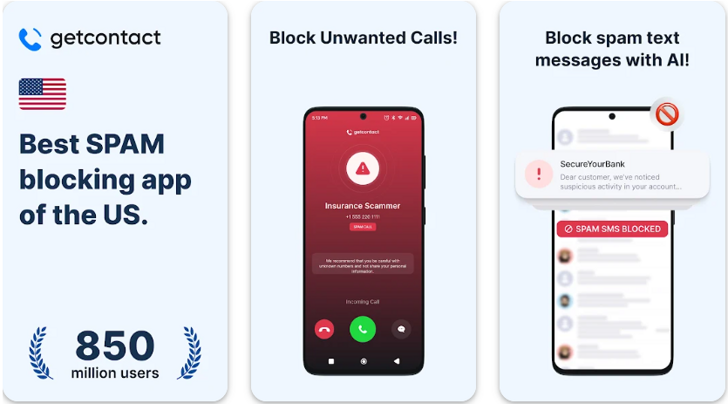
Getcontact is an innovative mobile application designed to enhance user connectivity and security. With its advanced caller identification feature, users can easily identify unknown callers and block unwanted spam calls, ensuring a more enjoyable phone experience. The app also allows for the efficient management of contacts, offering insights into contact popularity and mutual connections. Users benefit from increased privacy and the ability to reclaim control over their communication, ultimately fostering a safer and more organized digital environment.
More Details
Below are some of the notable features of the Getcontact app:
- Caller Identification & Reporting: Getcontact employs an advanced database of phone numbers sourced from user contributions and public information to accurately identify incoming calls. This feature utilizes sophisticated machine learning algorithms to analyze calling patterns, providing real-time updates on spam and telemarketing calls. Users can report unwanted numbers, which enhances the community-driven accuracy of identification.
- Number Lookup & Insights: With the number search functionality, users can perform comprehensive lookups on any phone number to unveil information such as the caller’s name, location, and reputation score. This feature is vital for maintaining user privacy and security, enabling users to make informed decisions about whom to engage with.
- Spam Protection & User Feedback: The app incorporates a robust spam detection system that flags harmful or troublesome phone numbers based on cumulative feedback from the user community. This proactive approach not only shields users from potential scams but also fosters a safer communication environment. Users can contribute to this database, thereby increasing the effectiveness of spam recognition.
- Contact Engagement & Social Profile Links: Getcontact allows users to create and share their own social profile links, providing call recipients with additional context about who they are before picking up the call. This feature enables seamless communication by bridging contact information with social media accounts, enhancing the user's connectivity and networking possibilities.
Extra Details
How to uninstall the Getcontact? You can uninstall Getcontact on your mobile device by following these steps: Locate setting icon on your phone. Tap Application manager or Apps Touch Getcontact. Press uninstall.
How to install the application
How to download and install Getcontact on your mobile device? The steps below explain how you can download the app on Google Play:
- Launch Google Play on your Android device
- Input Getcontact in the search bar
- Touch the most relevant search result
- Tap Install to download the app
- Wait for the process to complete.
DISCLAIMER
- The above app is a mobile app that will not change any system settings on your phone
- All apk files downloaded from our site are secure
- We provide the official download link from Google Play Store
- The trademarks and logos of all the merchants displayed on the website are the property of their respective owners. The website is not affiliated or associated with any of them
- Our website and its content strictly comply with all the terms and conditions of Google Ads Advertising policies and Google Unwanted Software policy
Steps to Uninstall android App
How to uninstall the Getcontact? You can uninstall Getcontact on your mobile device by following these steps:
- Locate setting icon on your phone.
- Tap Application manager or Apps Touch Getcontact.
- Press uninstall.
Tips & Tricks
More about the Getcontact app
- Utilize the Caller ID feature to identify unknown numbers before answering calls. This capability enhances your security by filtering spam and telemarketing calls, allowing you to engage only with trusted contacts.
- Leverage the number search function to uncover useful information about any phone number. By simply entering the number, you can gain insights about the caller, such as their identity or associated social media profiles, aiding in informed communication.
- Take advantage of the spam report option to contribute to community safety. Reporting unwanted calls helps improve the app's database, assisting other users in avoiding potential scams and unsolicited contact, while fostering a safer calling environment for everyone.
- Use the block feature to prevent unwanted interactions. By blocking specific numbers, you can maintain your peace of mind and control over incoming communications, ensuring that your focus remains on meaningful connections.
- Explore the settings menu to customize your notification preferences. Tailoring alerts for identified spam or important contacts ensures you receive notifications that are relevant to you, enhancing your overall user experience and engagement with the app.