1Password
| Technical Specification |
Download |
| Latest Updated |
May 28, 2024 |
|
| Latest Version |
8.10.32 |
| Developer |
|
| Operating system |
Android, iOS |
| Language |
English |
| Price |
Free |
| Available version |
8.10.32 |
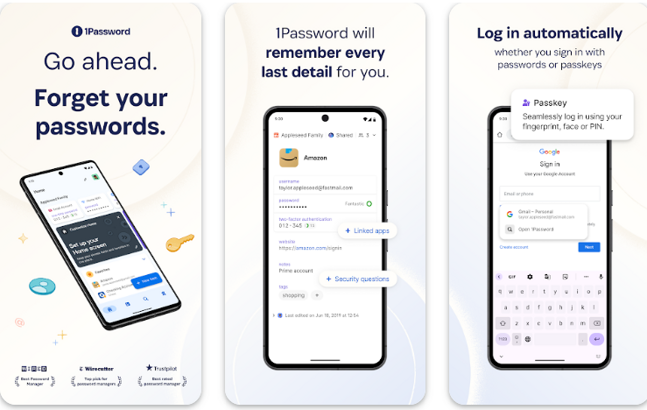
1Password is a comprehensive password management application designed to enhance your online security and streamline your digital life. It securely stores your passwords, credit card information, and sensitive documents, allowing easy access across devices. With its intuitive interface, users can generate strong, unique passwords effortlessly, ensuring robust protection against cyber threats. The application also features secure sharing options and built-in two-factor authentication, empowering users to safeguard their accounts while improving overall convenience and peace of mind in managing personal information.
More Details
Below are some of the notable features of the app:
- Secure Vault Technology: 1Password employs state-of-the-art encryption algorithms to safeguard your sensitive data. Each entry is securely stored within an isolated digital vault, utilizing AES-256 bit encryption, ensuring that only you can decrypt and access your information. This robust security measure is complemented by an integrated zero-knowledge architecture, meaning not even 1Password can access your saved data.
- Intelligent Password Generator: Accompanying its core functionalities, 1Password features an advanced password generation tool that allows users to create highly secure and unique passwords. By utilizing customizable parameters such as length and character types, you can effortlessly generate passwords that meet complex security standards, greatly mitigating the risk of account breaches from predictable passwords.
- Cross-Platform Synchronization: 1Password ensures seamless functionality across multiple devices and operating systems, including iOS, Android, Windows, and macOS. It employs an efficient cloud synchronization feature, which allows real-time updates to your vault on all devices. This ensures you access your passwords and sensitive information instantly from any platform, while also maintaining synchronization integrity through end-to-end encryption.
- Browser Extension Integration: To further enhance user convenience, 1Password offers customizable browser extensions that work with the most popular web browsers. These extensions facilitate automatic password filling, secure form submissions, and the ability to generate new passwords directly within the browser. This integration not only streamlines the login process but also adds an extra layer of security by alerting users to phishing attempts and illegitimate sites.
Extra Details
How to uninstall the 1Password? You can uninstall 1Password on your mobile device by following these steps: Locate setting icon on your phone. Tap Application manager or Apps Touch 1Password. Press uninstall.
How to install the application
How to download and install 1Password on your mobile device? The steps below explain how you can download the app on Google Play:
- Launch Google Play on your Android device
- Input 1Password in the search bar
- Touch the most relevant search result
- Tap Install to download the app
- Wait for the process to complete.
DISCLAIMER
- The above app is a mobile app that will not change any system settings on your phone
- All apk files downloaded from our site are secure
- We provide the official download link from Google Play Store
- The trademarks and logos of all the merchants displayed on the website are the property of their respective owners. The website is not affiliated or associated with any of them
- Our website and its content strictly comply with all the terms and conditions of Google Ads Advertising policies and Google Unwanted Software policy
Steps to Uninstall android App
How to uninstall the 1Password? You can uninstall 1Password on your mobile device by following these steps:
- Locate setting icon on your phone.
- Tap Application manager or Apps Touch 1Password.
- Press uninstall.
Tips & Tricks
More about the 1Password app
- Utilize the "Watchtower" feature to stay informed about the security of your passwords. This tool regularly checks for breached sites and alerts you, allowing you to quickly update your credentials and protect your sensitive information from potential threats.
- Take advantage of the "Secure Notes" functionality to store important information safely, such as credit card details or sensitive documents. This way, you can keep all vital data in one location, accessible only through your master password, enhancing both convenience and security.
- Leverage "Password Generation" to create strong, unique passwords for your accounts. By using this feature, you can easily generate complex passwords that are difficult to crack, significantly improving your overall online security and reducing the risk of identity theft.
- Set up "Two-Factor Authentication" to add an extra layer of security to your accounts. By enabling this feature in 1Password, you ensure that even if someone obtains your password, they cannot access your accounts without the second form of identification.
- Organize your passwords and sensitive information using "vaults." This capability allows you to categorize credentials by purpose or project, streamlining access and enhancing efficiency while keeping your data secure and organized in a way that best suits your needs.